

Android AIDL示例及高版本问题
文章目录
- AIDL使用示例及高版本问题
- 服务端app
- 客户端app
- 高版本问题
- HarmonyOS上运行
AIDL使用示例及高版本问题
关于Android AIDL不论是官方文档,还是网络上的资料信息,都讲解的很完整,包括Binder机制。
这里只是将AIDL 跨进程调用进行一次使用的记录。
服务端app
1
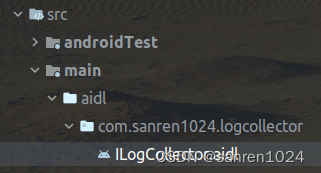
在作为服务端的app,需要定义一个AIDL文件,即扩展名.aidl的接口文件,在文件内定义接口方法。
AIDL概览:传送门
interface ILogCollector {/*** Decimal: 65280*/const int TRANSACT_CODE_BASTIC_TYPES = 0xFF00;/*** Demonstrates some basic types that you can use as parameters* and return values in AIDL.*/void basicTypes(int anInt, long aLong, boolean aBoolean, float aFloat,double aDouble, String aString) = 65280;
}
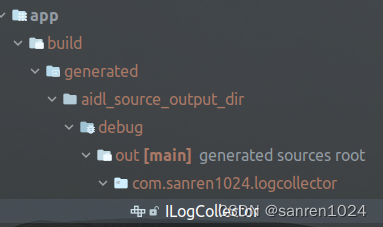
使用Android Studio 环境进行编译,会生成一个同名的Java接口文件ILogCollector.java。
2
创建Service类,并在Service内实现AIDL接口编译生成的Stub类。
public class LogCollectorService extends Service {private static final String TAG = LogCollectorService.class.getSimpleName();/*** LogCollector服务端实现。*/private final ILogCollector.Stub mCollectorBinder = new ILogCollector.Stub() {@Overridepublic void basicTypes(int anInt, long aLong, boolean aBoolean, float aFloat, double aDouble, String aString)throws RemoteException {Log.d(TAG, "服务端 basicTypes() 方法被调用");}};@NonNull@Overridepublic IBinder onBind(Intent intent) {Log.i(TAG, "返回服务端Binder");return mCollectorBinder;}
}
3
在Manifest内注册Service,且可以定义一个对应的权限。
这样服务端最简单的app定义好了。
客户端app
创建一个新的app工程,用以测试app服务端。
AIDL客户端定义及调用传送门
在客户端实现中定义ServiceConnection,进行bindService()调用。
// MainActivity.java关键代码private ILogCollector mRemoteProxy;private final ServiceConnection mServConn = new ServiceConnection() {@Overridepublic void onServiceConnected(ComponentName name, IBinder service) {mRemoteProxy = ILogCollector.Stub.asInterface(service);}@Overridepublic void onServiceDisconnected(ComponentName name) {mRemoteProxy = null;}};// bindService()绑定远程服务if (v.getId() == R.id.button_bind) {Intent servIntent = new Intent("com.sanren1024.logcollector.LOG_SERVICE");servIntent.setClassName("com.sanren1024.logcollector", "com.sanren1024.logcollector.LogCollectorService");// servIntent.setAction("com.sanren1024.logcollector.LOG_SERVICE");servIntent.setPackage("com.sanren1024.logcollector");boolean launchResult = bindService(servIntent, mServConn, Context.BIND_AUTO_CREATE);Toast.makeText(this, "启动结果:" + launchResult, Toast.LENGTH_SHORT).show();return;}// 方法调用if (v.getId() == R.id.button_invoke && mRemoteProxy != null) {try {mRemoteProxy.basicTypes(1, 2, false, 3.0f, 4.5d, "nicholas");} catch (RemoteException e) {throw new RuntimeException(e);}return;}// 解绑if (v.getId() == R.id.button_unbind && mRemoteProxy != null) {unbindService(mServConn);}
这样在运行时,客户端app即可以调用到服务端app。
高版本问题
上述的AIDL定义,程序实现,调用均在Android 8上执行,可以成功调用。
但在Android 12上测试存在服务端app无法被调用起的问题。
工程的 targetSDK 33的值是33,读了文章CSDN AIDL报错,bindService一直连接不上、不起作用,并查看官方文档及Android 11 中的软件包可见性可以知道原因。
在Android 11(API Level 30)以上,App可查询的应用列表被看作是私有敏感数据,即要查询或调用其他app时,会受到系统限制,也就是Android上对应用的访问查询做了更加严格的限制。
按照blog解释,基于对私有数据越来越严格的控制,且在一般场景下,app不需要完全查询调用一个设备上的其他所有的应用。因此Android 11上引入了app查询或与其他应用交互的新特性:在manifest中引入新标签
可以查看官方的
HarmonyOS上运行
目前,android app还是可以在HarmonyOS系统上运行,因此也在Huawei设备上运行,但没有成功,似乎是HMS框架的一个内部错误。