

Spring Boot(六十三):使用sfpt实现简单的文件下载及上传
创始人
2025-05-29 12:11:50
之前项目遇到从文件服务器上传、下载、删除文件,一开始打算使用一些高级的文件系统,比如:FastDFS,GlusterFS,CephFS,这些高级厉害的文件存储系统,但是由于环境限制无法搭建,最终使用常用的FFTP或者SFTP实现文件上传和下载。
FTP是一种文件传输协议,一般是为了方便数据共享的。包括一个FTP服务器和多个FTP客户端。FTP客户端通过FTP协议在服务器上下载资源。而SFTP协议是在FTP的基础上对数据进行加密,使得传输的数据相对来说更安全。但是这种安全是以牺牲效率为代价的,也就是说SFTP的传输效率比FTP要低(不过现实使用当中,没有发现多大差别)。
(1)FTP要安装,SFTP不要安装。
(2)SFTP更安全,但更安全带来副作用就是的效率比FTP要低些。所以最终还是采用了SFTP来实现。
1 新建springboot项目
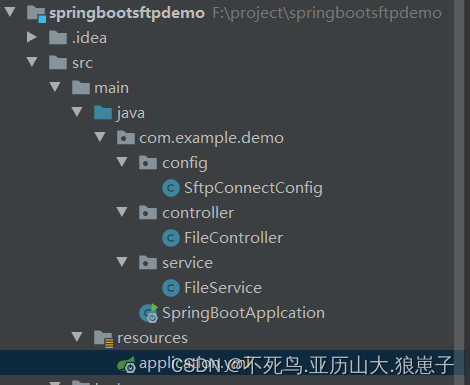
2 引入pom文件依赖包
4.0.0 org.springframework.boot spring-boot-starter-parent 2.7.9 com.example demo 0.0.1-SNAPSHOT demo Demo project for Spring Boot 1.8 org.springframework.boot spring-boot-starter-web org.springframework.boot spring-boot-starter com.jcraft jsch 0.1.54 org.apache.commons commons-lang3 commons-io commons-io 2.4 org.projectlombok lombok 1.18.12 provided org.springframework.boot spring-boot-starter-test test org.springframework.boot spring-boot-maven-plugin 3 新建配置文件
server:port: 9001spring:application:name: study_sftp_serviceservlet:multipart:#      单个文件的大小不能超过该值max-file-size: 100MB#      单个请求最大的大小不能超过该值max-request-size: 1000MB# 这里也可以直接作为成员变量写死在类里。这里的配置都是我自定义的,叫什么都可以。
remoteserver:username: rootpassword: 123456host: 192.168.222.131port: 22
4 编写配置类
注意:JSch登录sftp会进行Kerberos username 身份验证提示
如果需要跳过,需要添加配置如下:
config.put("PreferredAuthentications","publickey,keyboard-interactive,password");
package com.example.demo.config;import com.jcraft.jsch.*;
import lombok.extern.slf4j.Slf4j;
import org.springframework.beans.factory.annotation.Value;
import org.springframework.context.annotation.Bean;
import org.springframework.context.annotation.Configuration;import java.util.Properties;@Configuration
@Slf4j
public class SftpConnectConfig {/*** FTP 登录用户名*/@Value("${remoteserver.username}")private String username;/*** FTP 登录密码*/@Value("${remoteserver.password}")private String password;/*** FTP 服务器地址IP地址*/@Value("${remoteserver.host}")private String host;/*** FTP 端口*/@Value("${remoteserver.port}")private String strPort;private Session getSession() throws JSchException {JSch jsch = new JSch();int port = Integer.parseInt(strPort.trim());Session session = jsch.getSession(username, host, port);if (password != null) {session.setPassword(password);}Properties config = new Properties();config.put("StrictHostKeyChecking", "no");// JSch登录sftp,跳过 Kerberos username 身份验证提示config.put("PreferredAuthentications","publickey,keyboard-interactive,password");session.setConfig(config);session.connect();return session;}/*** 连接sftp服务器,返回的是sftp连接通道,用来操纵文件* @throws Exception*/@Beanpublic ChannelSftp channelSftp() {ChannelSftp sftp = null;try {Session session = getSession();Channel channel = session.openChannel("sftp");channel.connect();sftp = (ChannelSftp) channel;} catch (JSchException e) {log.error("连接失败",e);}return sftp;}/*** 连接sftp服务器,返回exec连接通道,可以远程执行命令* @throws Exception*/@Beanpublic ChannelExec channelExec(){ChannelExec sftp = null;try {Session session = getSession();Channel channel = null;channel = session.openChannel("exec");channel.connect();sftp = (ChannelExec) channel;} catch (JSchException e) {log.error("连接失败",e);System.out.println("连接失败");}return sftp;}
}
5 编写service
package com.example.demo.service;import com.jcraft.jsch.ChannelSftp;
import lombok.extern.slf4j.Slf4j;
import org.apache.commons.io.FileUtils;
import org.apache.commons.io.IOUtils;
import org.springframework.stereotype.Service;
import org.springframework.web.multipart.MultipartFile;import javax.annotation.Resource;
import java.io.File;
import java.io.FileInputStream;
import java.io.InputStream;
import java.util.UUID;@Service
@Slf4j
public class FileService {@Resourceprivate ChannelSftp channelSftp;/*** 从服务器获取文件并返回字节数组* @param path 要下载文件的路径* @param file 要下载的文件*/public byte[] download(String path, String file) throws Exception {// 切换到文件所在目录channelSftp.cd(path);//获取文件并返回给输入流,若文件不存在该方法会抛出常InputStream is = channelSftp.get(file);byte[] fileData = IOUtils.toByteArray(is);if(is != null){is.close();}return fileData;}/*** 将输入流的数据上传到sftp作为文件** @param path*            上传到该目录* @param uploadFile*           服务器保存的文件* @throws Exception*/public void upload(MultipartFile uploadFile, String path) throws Exception{String fileName = uploadFile.getOriginalFilename();// 用uuid + 原来的文件名生成新名字,防止文件名重复也可以辨识上传的文件是哪个,可以省略这一步String newName = UUID.randomUUID().toString().replaceAll("-","") + fileName;File file = new File(path + newName);//将MultipartFilez转换为File,会生成文件FileUtils.copyInputStreamToFile(uploadFile.getInputStream(), file);// 如果该目录不存在则直接创建新的目录,并切换到该目录try {channelSftp.cd(path);} catch (Exception e) {channelSftp.mkdir(path);channelSftp.cd(path);}channelSftp.put(new FileInputStream(file), newName);// 操作完成,删除刚刚生成的文件file.delete();}
}
6 编写控制器
package com.example.demo.controller;import com.example.demo.service.FileService;
import lombok.extern.slf4j.Slf4j;
import org.springframework.beans.factory.annotation.Autowired;
import org.springframework.web.bind.annotation.*;
import org.springframework.web.multipart.MultipartFile;import javax.servlet.http.HttpServletResponse;
import java.io.OutputStream;@RestController
@Slf4j
public class FileController {@Autowiredprivate FileService fileService;@GetMapping("/download")public void download(@RequestParam(required = true) String file, @RequestParam(required = true)String path,HttpServletResponse response){//设置响应信息response.setContentType("application/octet-stream");// filename为文件下载后保存的文件名,可自行设置,但是注意文件名后缀,要和原来的保持一致response.setHeader("Content-Disposition", "attachment; filename=" + file);OutputStream out = null;try {out = response.getOutputStream();// 输出到客户端out.write(fileService.download(path, file));} catch (Exception e) {log.error("",e);}}/*** 上传文件到服务器* @param file 要上传到服务器的文件,注意此处的path必须在结尾添加 /* @param path 上传到服务器的路径*/@PostMapping("/upload")public void upload(@RequestBody(required = true) MultipartFile file, @RequestParam(required = true) String path){try {fileService.upload(file, path);} catch (Exception e) {log.error("",e);}}
}
7 测试
7.1 文件下载
下载home目录下的package.json文件
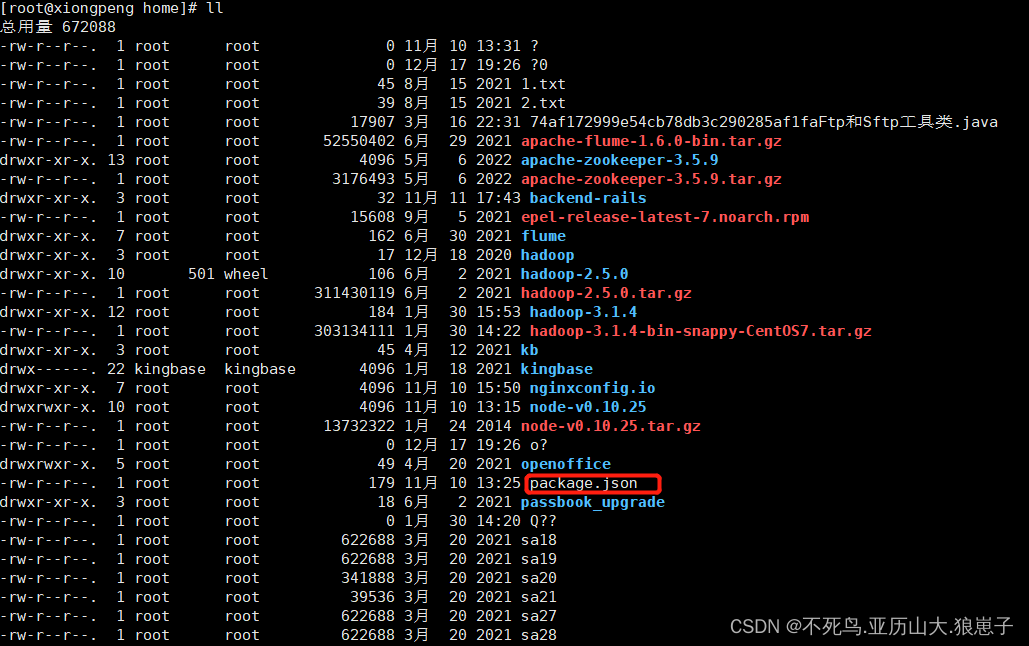
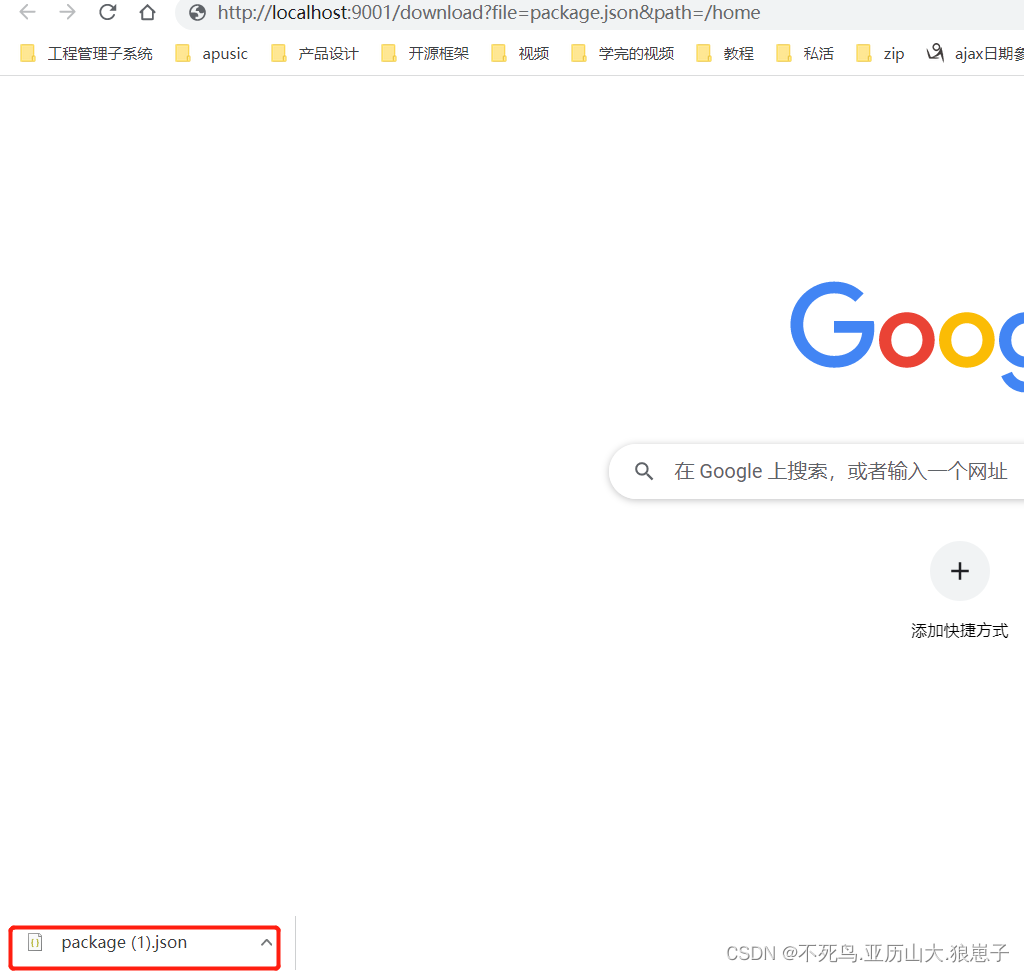
访问端口如下:
http://localhost:9001/download?file=package.json&path=/home
7.2 上传文件
端口参数为file文件和path上传的文件路径
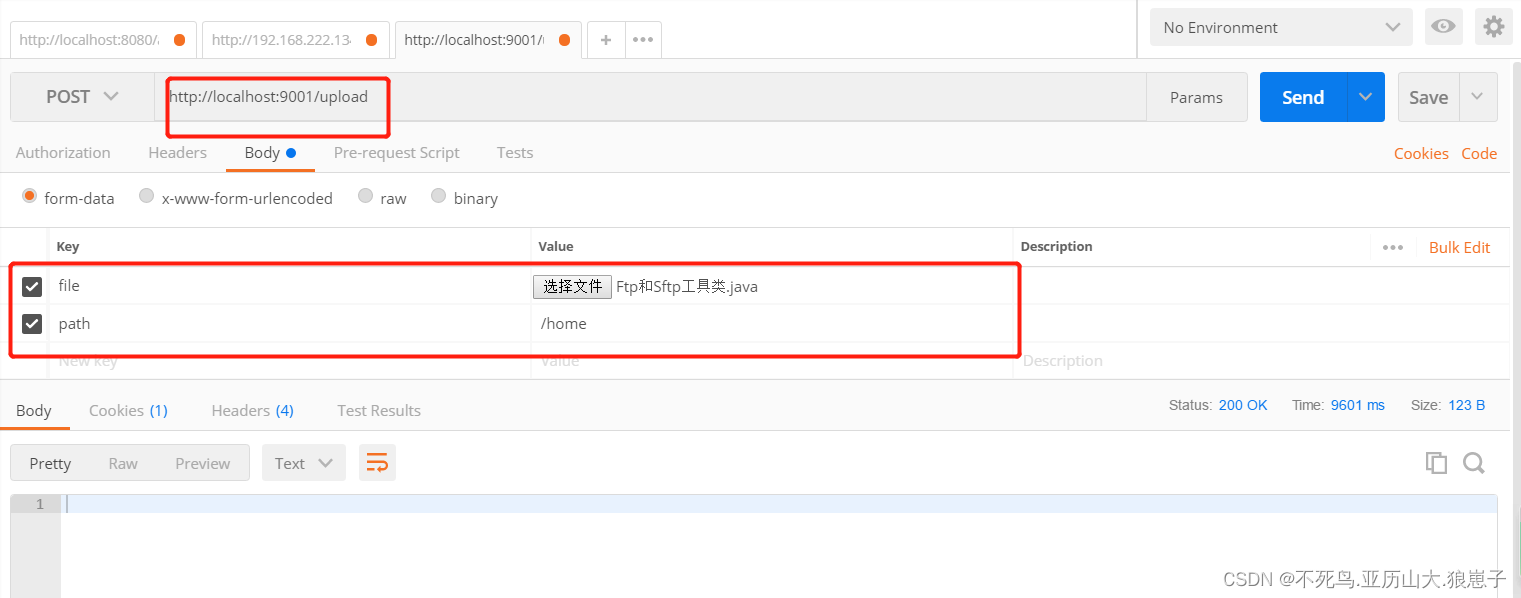
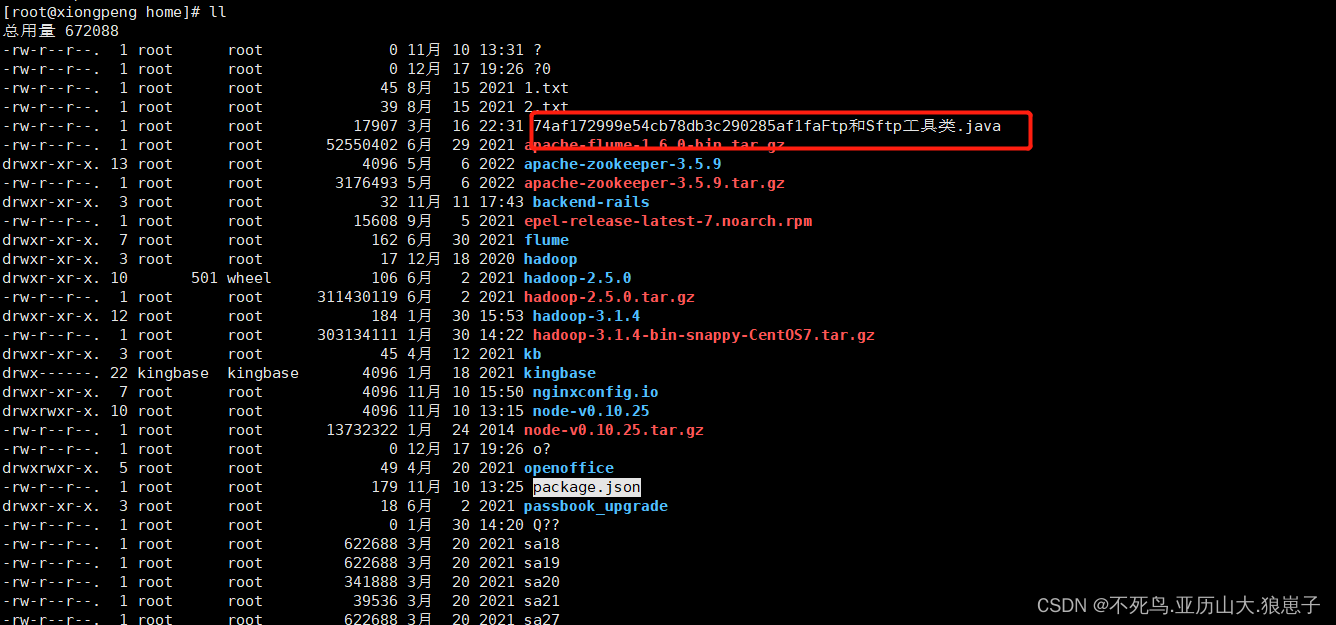
查看目录返现上传成功(注意:文件名不要有中文)
相关内容
热门资讯
集运指数欧线主力合约涨幅达5%...
5月21日消息,集运指数欧线主力合约涨幅达5%,报2885点。(科股宝播报)
大金融板块持续走高,大智慧直线...
5月21日消息,大金融板块持续走高,互联金融、券商方向领涨,大智慧直线涨停,此前华安证券涨停,志晟信...
中央气象台5月21日10时继续...
5月21日消息,中央气象台5月21日10时继续发布暴雨蓝色预警:预计,5月21日14时至22日14时...
司法部:对食品药品、安全生产等...
5月21日消息,国务院新闻办今天(5月21日)举行新闻发布会,介绍规范涉企行政执法专项行动有关情况。...
日本30年期国债收益率下行8....
5月21日消息,日本30年期国债收益率下行8.5个基点至4.015%。(科股宝播报)